

Purchase & Instant Delivery
After purchase, guests receive a confirmation email with a unique QR code to save in their Apple Wallet, Google Pay, or inbox.

Arrival & The Scan
Staff scan QR codes with The Local Ticket Organizer App, instantly validating tickets and marking them as used in under two seconds.

Mobile App Check-in
Check in attendees instantly from any phone with our mobile event check-in feature.

Real-Time Validation
Our dynamic QR codes prevent duplication by invalidating each ticket after its first scan, ensuring only paid guests gain entry.


Introduction: The Evolution of Event Entry
Gone are the days of fumbling through printed spreadsheets, dealing with lost paper tickets, or making attendees wait in long, disorganized lines. In the modern event landscape, efficiency and professionalism are paramount. At The Local Ticket, we have engineered a digital ticketing solution that bridges the gap between online sales and physical entry, creating a frictionless experience for everyone involved.
Our QR Code Digital Ticket system is designed to give organizers complete control and attendees instant access. From the moment a purchase is completed on your event page to the second they walk through your doors, every step is automated, secure, and optimized for speed. Whether you are hosting an intimate workshop, a bustling food festival, or a high-energy concert, our digital check-in transforms your entry process from a bottleneck into a highlight.
Ditch the paper, eliminate the guest list, and wow your attendees with a check-in experience that is fast, secure, and professional. ✨
Why Choose The Local Ticket for Check-In?


The Guest Experience Matters


How to Get Started
Create Your Event
Log in to your dashboard and set up your event details, ticket types, and pricing.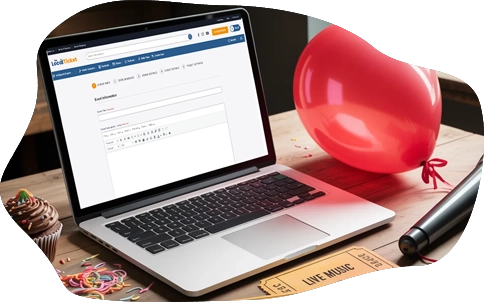
Download the App
Instruct your door staff to download The Local Ticket Organizer App on their phones.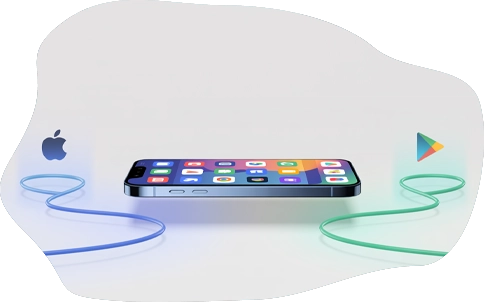
Start Scanning
On the day of the event, log in to the app, select your event, and start scanning.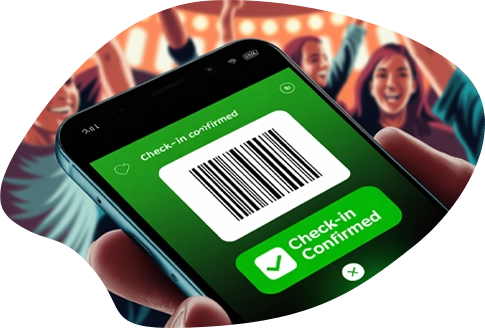
Frequently Asked Questions
Q: What if my attendee doesn't have a smartphone?
A: No problem. The email they receive allows them to print the ticket and QR code at home on standard paper. Your staff can scan the printed code just as easily as a phone screen.
Q: Can I use this for a free event?
A: Absolutely. Even if your tickets are free (RSVPs), the QR code system is perfect for managing capacity. You can track exactly how many people attend and prevent over-crowding.
Q: What happens if our internet goes down at the venue?
A: Our app is built with an offline mode. It will continue to scan and validate tickets. Once your internet connection is restored, it will automatically sync the check-in data to your master dashboard.
Q: Is there a limit to how many tickets I can scan?
A: No. The system is built to scale. Whether you have 50 guests or 50,000, the app and platform can handle the volume.
Q: How do I handle a guest who bought a ticket but didn't receive the email?
A: You can easily look them up in the app by name or email address and manually check them in. You can also resend the ticket directly from the organizer dashboard.