
How to Add an Event
3 min read
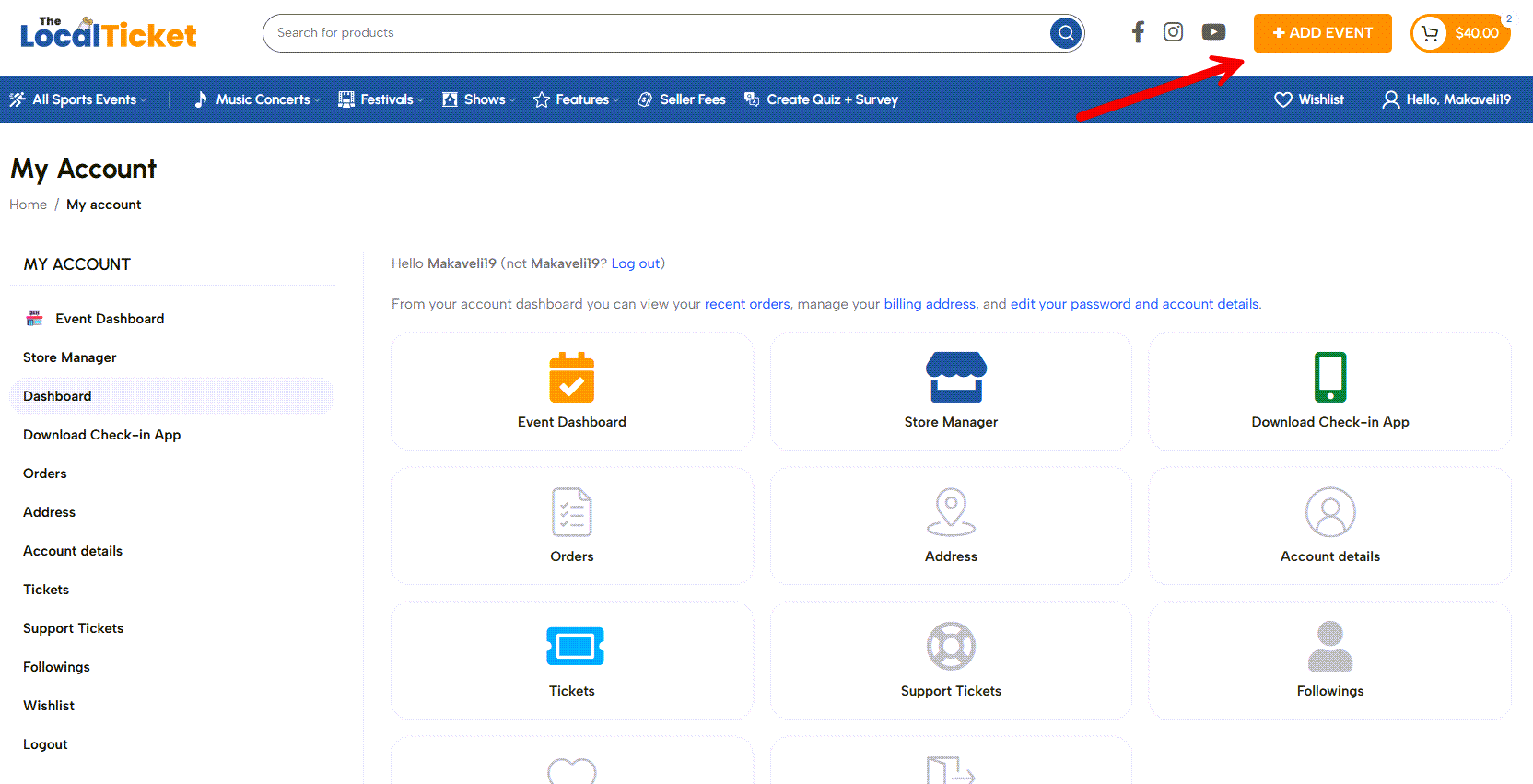
1️⃣ Login & click on the Add Event button
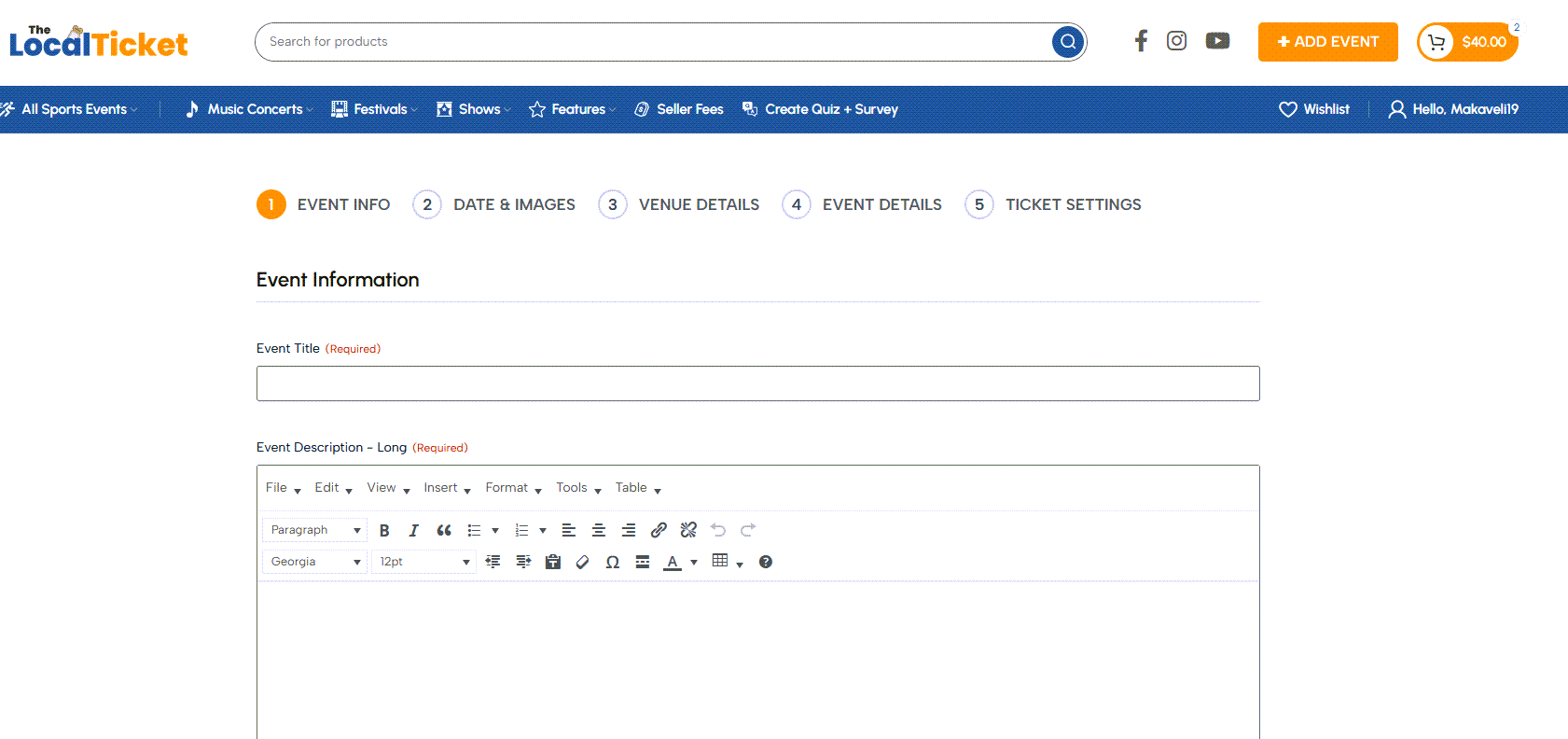
2️⃣ Fill in your event title long & short descriptions
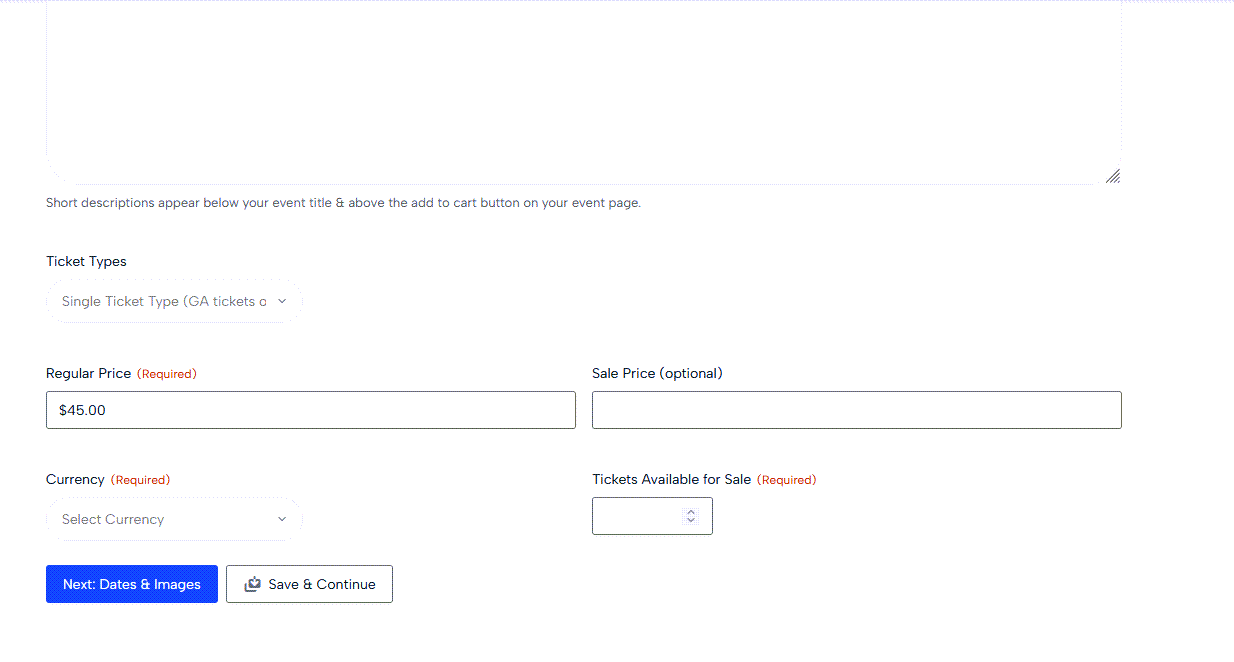
3️⃣ Select your ticket type –
Single for General Admission tickets only
Variable to different levels (GA, VIP, VIP Table etc.)
Add Pricing options
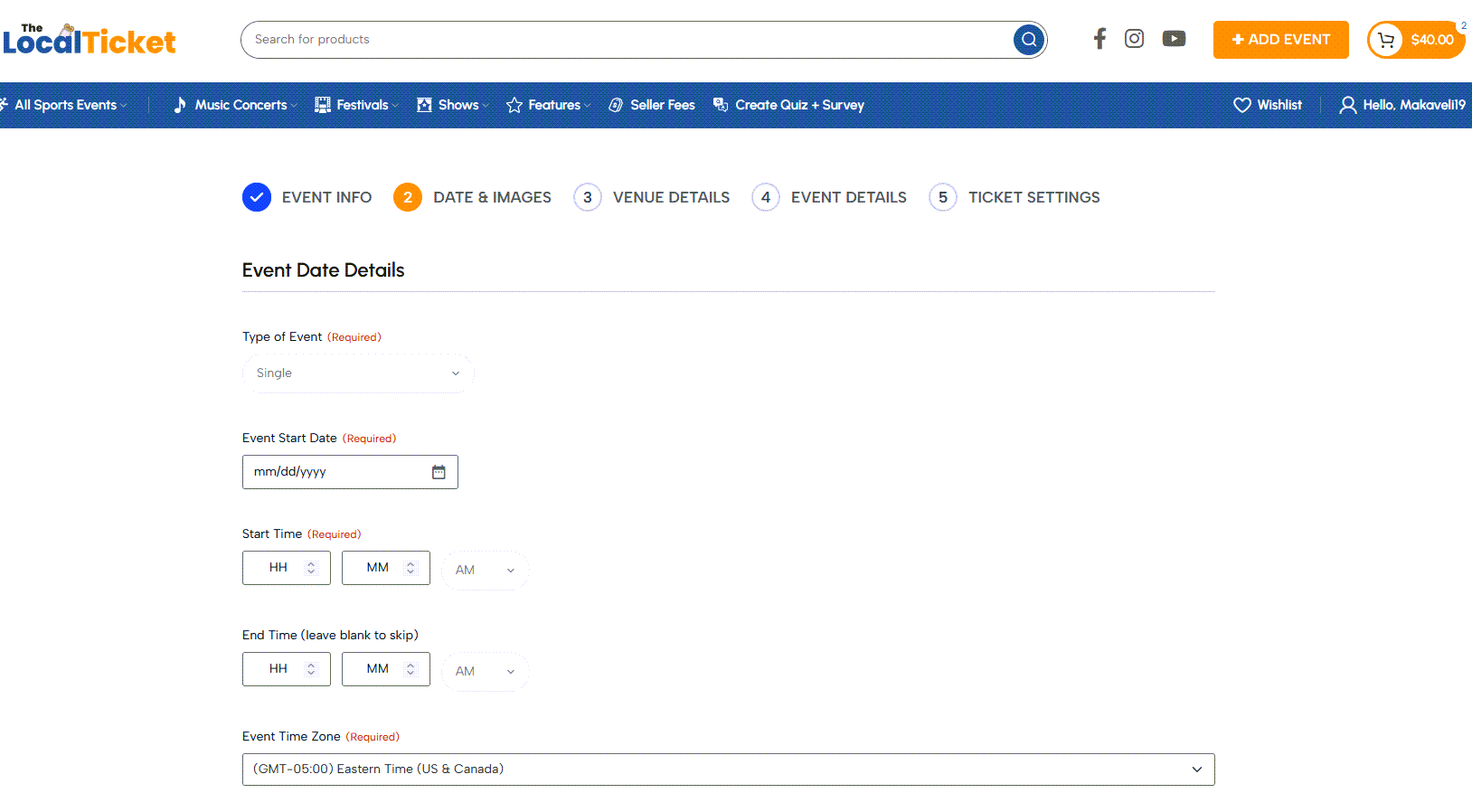
4️⃣ Move on to Step 2 & choose your event type
Single – 1 day event
Sequential Days – Multi day event
Specific Days – Any random days
Fill out dates & time.
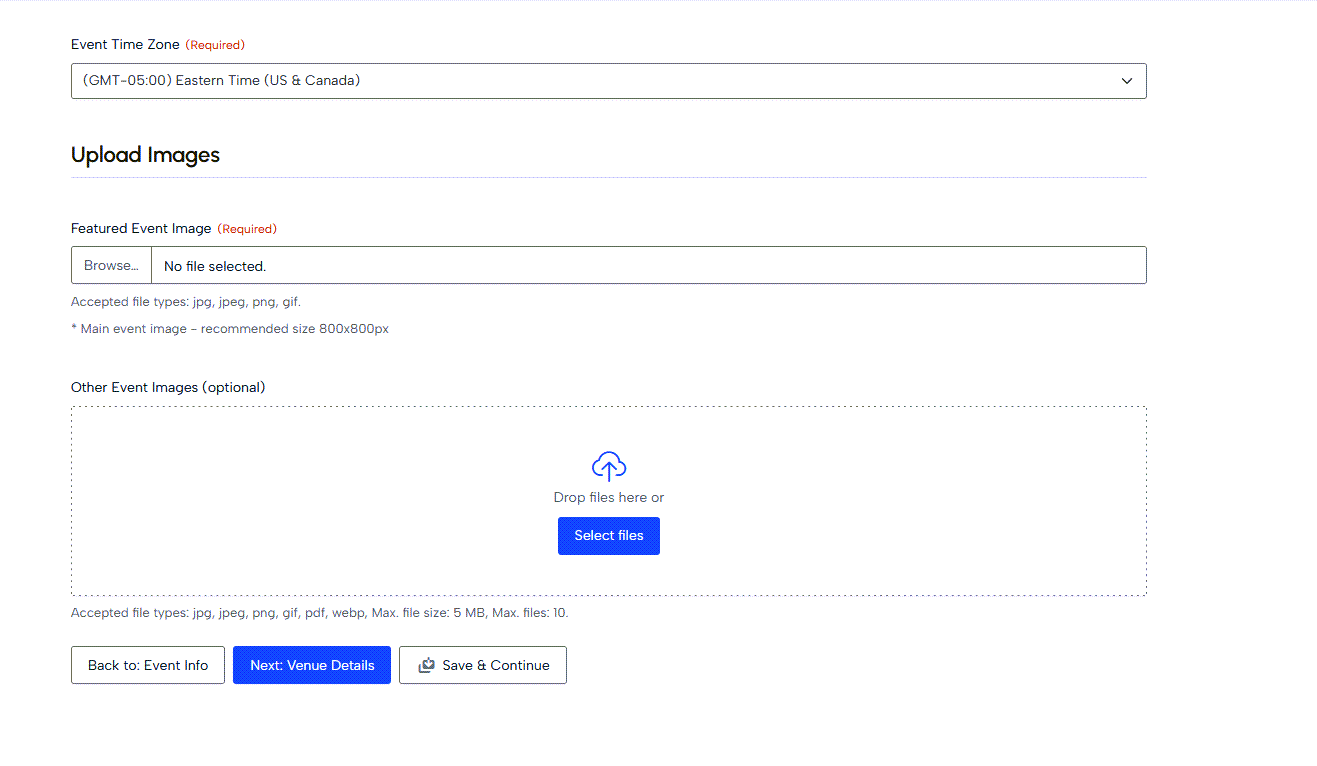
5️⃣ Upload your event image in a square 1:1 ratio. 800 x 800px is the recommended size
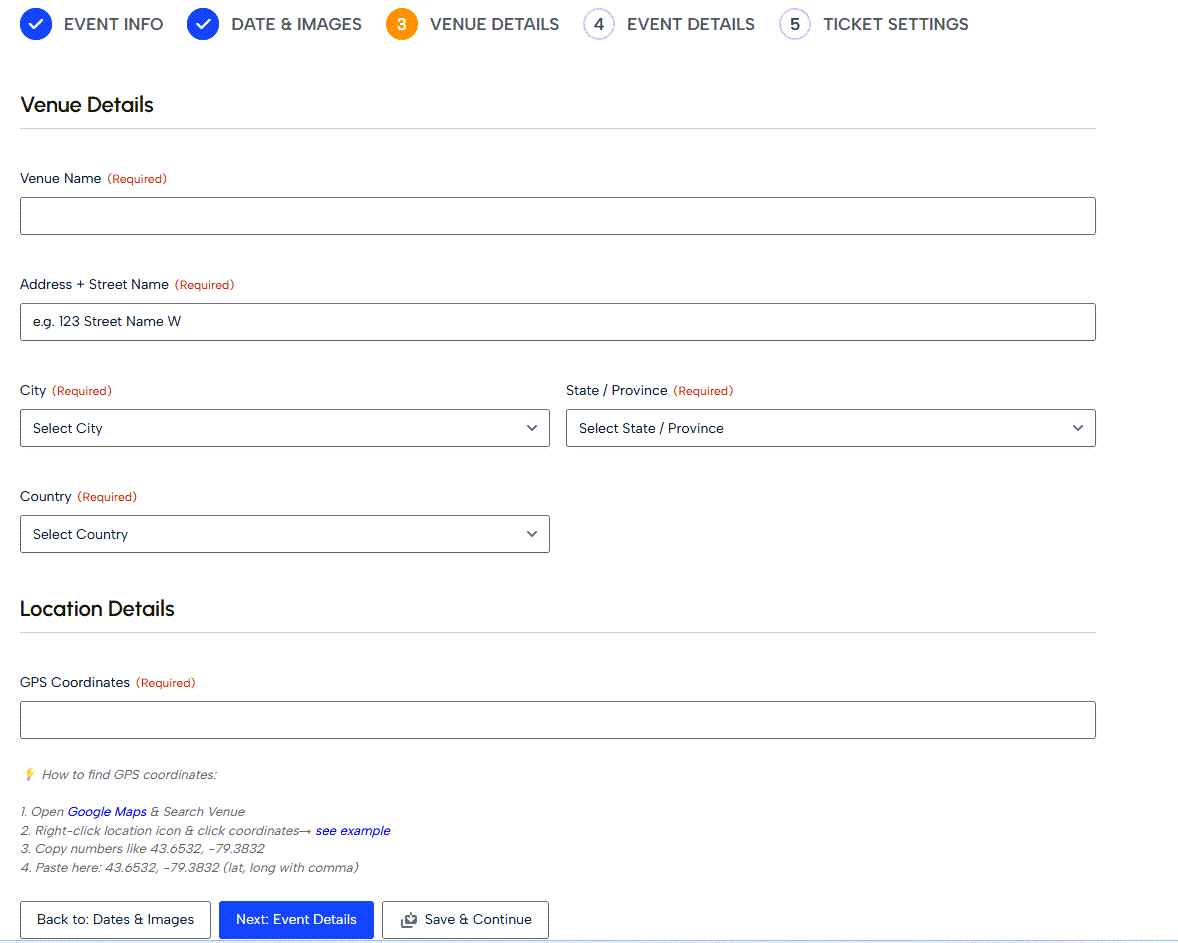
6️⃣ Step 3- add your venue information. Click here to find your GPS Coordinates
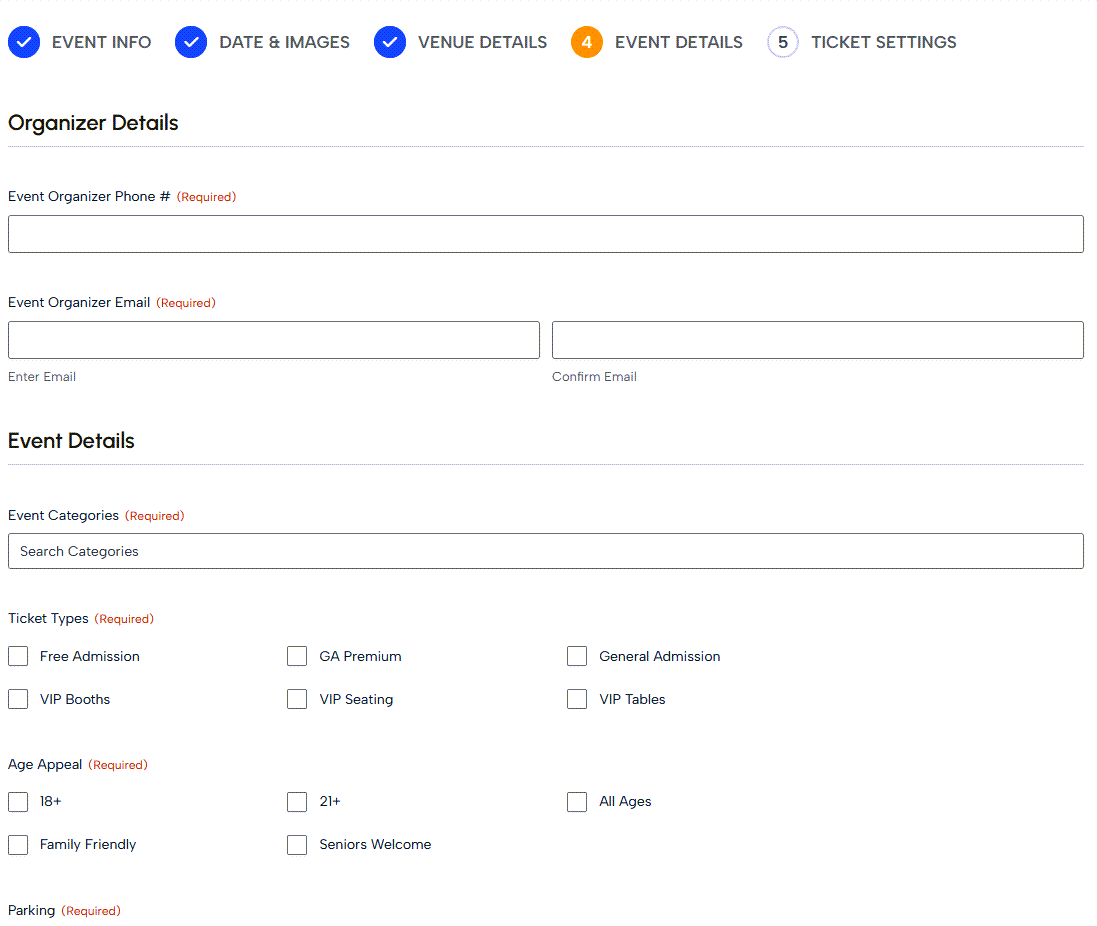
7️⃣ Step 4 – Fill out your event details
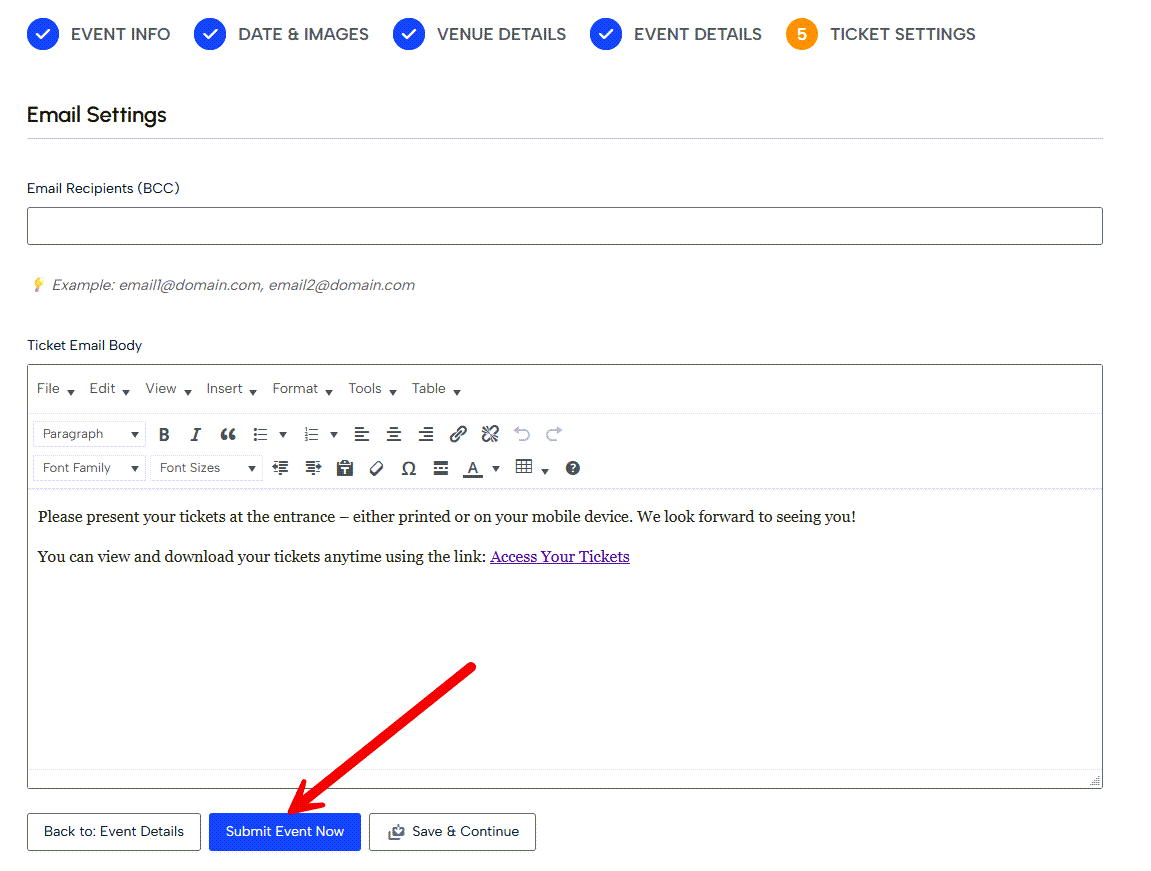
8️⃣ Step 5 – look over your ticket setting detail & submit
Updated on May 2, 2026


